 VoltaML
Linux
Backends
- ✅ Backend available and supported
- ❌ Backend not available yet
- 🚧 Backend is in the development or testing phase
| Backend | Supported |
|---|---|
| PyTorch | ✅ |
| AITemplate | ✅ |
| ONNX | 🚧 |
Installation
1. Create a new folder for the project
You can do this in the terminal (mkdir volta) or visually with Dolphin or Nautilus. Name doesn't matter, so go with something that you like as you will hopefully be using VoltaML for a long time.
2. Download the VoltaML Manager executable
Download the VoltaML Manager executable from the VoltaML Manager releases page
Select the latest release and download voltaml-manger:
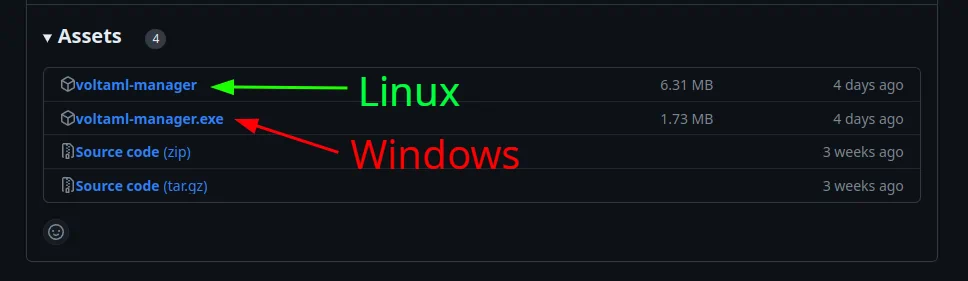
3. Put this file into the created folder
Simply drag and drop this executable into the created folder.
4. Enable execution
Open terminal in the folder where you put the executable and run chmod +x voltaml-manager.
5. Start the manager
Run ./voltaml-manager in the terminal.
6. Install
Select Install, follow the instructions and wait for the installation to finish.
7. Start VoltaML
Select Start and wait for the installation to finish.
8. Open VoltaML
Once all of the above is done, you can open VoltaML by navigating to localhost:5003 in your browser.
Running after installation
To run VoltaML after installation, simply open the terminal, navigate to your folder, run ./voltaml-manager file and select Start.
You might be prompted to update - if you want to do so, simply select update before starting.